Tangem Pay Card is a virtual card that allows you to tap and pay using NFC technology. Beyond working as a payment card, this wallet grants you access to the Tangem ecosystem, where you can store, spend, and put idle cryptos to work. If you are not sure whether to order the Tangem Card online, read closely. Here I go into detail about how Tangem Pay works and how fees are set up on the platform.
What is Tangem Pay
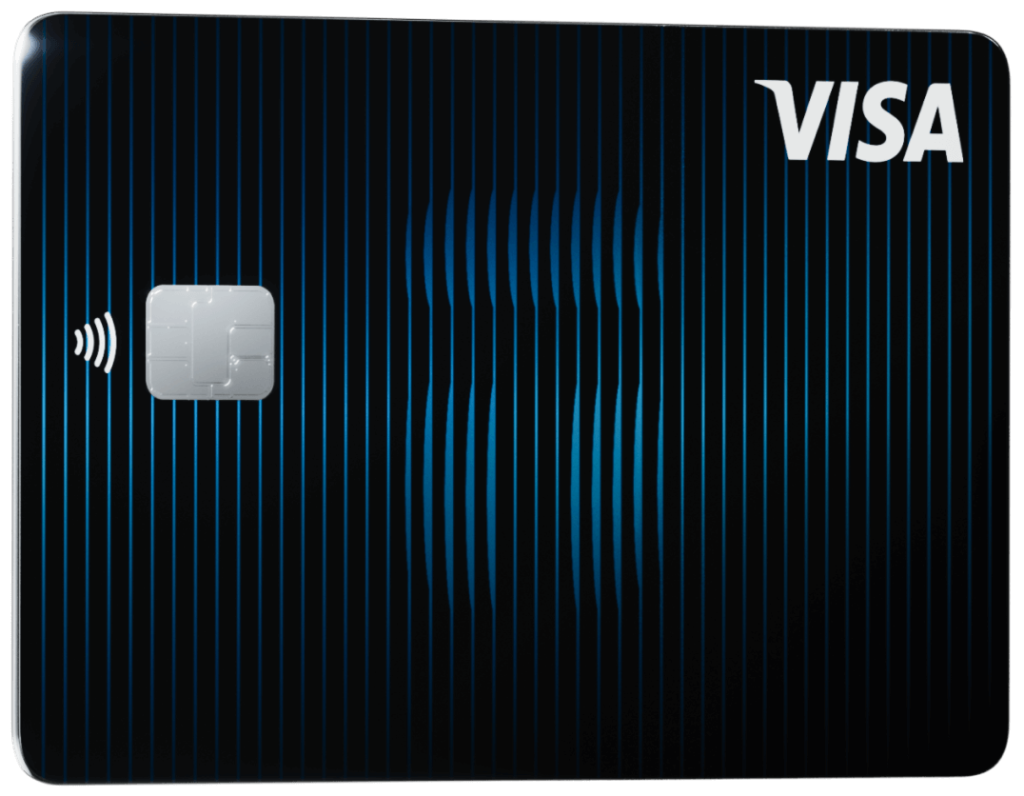
Tangem Pay is a self-custody crypto card that lives within the Tangem Wallet app. Unlike Tangem Wallet, which looks like a regular card, Tangem Pay is only available as a virtual card that you can use anywhere just by linking it to your Google Pay or Apple Pay.
Where can I use my Tangem Pay Card?
Tangem Pay is based on Visa, meaning you can spend your cryptocurrency at 150 million merchants, both online and offline. It also means you can withdraw cash at millions of ATM terminals around the world.
Tangem Pay Card supported countries
Tangem Pay will issue cards to residents of the US, Asia Pacific and Latin America at first. The company promises to expand into more continents in 2026.
How Can I Get the Tangem Pay Card
To set up Tangem Pay, your mobile phone must carry iOS 15.0 or later or Android 6.0 or later. Any version lower means your phone does not support NFC card reading. However, some Android and iPhone models running the required OS do not fully support NFC reading, which means you may not be able to set up the card, such as the iPhone 7, Samsung Galaxy S8, Techno Pova 3, and others.
Tangem Pay Eligibility
To sign up for Tangem Pay, you must meet these criteria
- 18 years or older
- Own a Tangem Wallet
- Have a supported mobile phone (iOS or Android)
- Complete KYC with a valid ID
- Have a resident address in any of the supported countries
- Provide your SSN (US users only).
Now that’s clear, let’s talk about the process of requesting your Tangem Pay Card.
Tangem Pay Issuance
The process to get the Tangem Pay Card goes like this
- Step one: Download the Tangem mobile app.
- Step two: Find Cards in the navigation panel.
- Step three: Click the button that says Get Card
- Step four: Fill in your basic information
- Step five: Complete KYC and wait for approval.
- Step six: Once approved, your virtual card will be issued and ready for spending.
How to use Tangem Pay Card
Here’s how to scan your Tangem Card and make payments:
- Step one: Check and activate the NFC reader in your settings app.
- Step two: Locate the position of your NFC reader. For example, the NFC reader on most iPhones is located at the top near the selfie camera. Refer to the user manual of your smartphone to find out where your NFC reader is placed.
- Step three: Hold your Tangem card or ring close to your smartphone’s NFC reader. Make sure no object is blocking the path and that both the Tangen app and scan window are open when you want to scan.
- Step four: Tap your card or ring on the scanner. Maintain steady contact until you get a notification that scanning is complete.
- Step five: Move your wallet and store it in a safe location. Tangem advises against storing the card in your phone pouch.
Tangem Pay Card Supported Currencies
Tangem Pay card supports the following networks and cryptocurrencies:
Cryptocurrencies: Tangem Wallet allows you to store thousands of cryptocurrencies. Browse the full list of supported coins on the website here.
Networks: 91 popular blockchains, including VeChain, Ethereum, Gnosis, Solana, Polygon, Arbitrum, Optimism, TRON
Tangem Pay Tap to Pay Explained

The most special part about Tangem Pay is that it is built for spending without the usual friction of paying with your card. How it works is simple. You deposit crypto into your Tangem app, then pay anywhere Visa is supported with a simple two-tap flow.
Pros of Tangem Pay Card
Upsides to the Tangem Pay card.
- Tap-to-pay rings are also offered
- Spend USDC anywhere Visa is accepted
- $50,000 daily spend is great for high-rollers
- Supports NFC contactless payments through Google Pay and Apple Pay
- Not many cryptocurrency debit cards can boast of the bank-level security infrastructure Tangem Pay uses.
Cons of Tangem Pay Card
Downsides to the Tangem Pay Card.
- No cashback
- Not widely available yet
- Small ATM withdrawal limits.
Tangem Pay Card Fees and Pricing
Tangem Pay itself does not charge you annual fees or transaction fees. You only pay standard network gas fees when you deposit funds, and a 0.1% conversion spread anytime your crypto is converted into USD for the receiver.
Tangem Pay Card Transaction and ATM Limit
Find all the spending limits associated with Tangem Pay.
| Category | Limit |
| Max daily deposit | $100,000 |
| Max number of top-up per day | 24 |
| Max number of top-up per month | 150 |
| Minimum card balance | $0 |
| Maximum card balance | $50,000 |
| Daily spend limit | $50,000 |
| Annual spend limit | $10,000,000 |
| Max number of POS transaction per day | 100 |
| Max number of POS transaction per month | 1000 |
| Max ATM withdrawal per transaction | $250 |
| Max number of ATM withdrawals per day | 3 |
Tangem Pay Card Basic Features
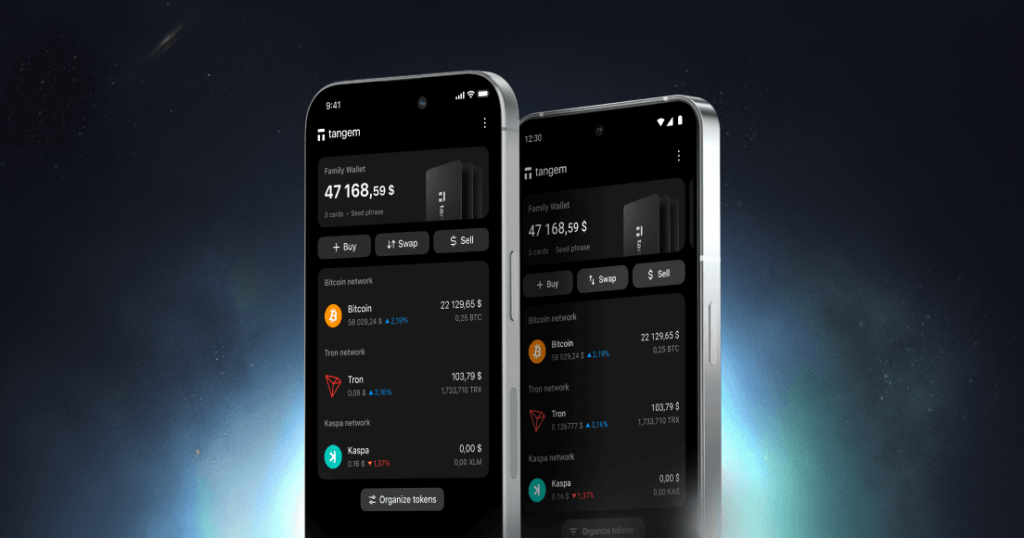
Basic features of Tangem Pay
Truly self-custodial
Unlike traditional crypto cards that require users to hand over funds to a custodial exchange, Tangem Pay is truly self-custodial. You are in total control of your assets up until the point of sale.
Everyday spending
Tangem Pay is meant to be the crypto-natives’ dream, offering a simple and convenient way to make everyday purchases in crypto. However, the company should work on expanding into more locations. The more people who can assess this card, the more useful it becomes.
High spending limits
The daily limit on Tangem Pay is $50,000, which is more than what 90% of household shoppers spend in a year. I find this useful because it opens up Tangem Pay to more types of users. For example, Tangem Pay is a good choice if you want to top up your Google Ads.
Conclusion: What is there to like about Tangem Pay
Tangem Pay is a cryptocurrency virtual card that lives in the Tangem mobile app. The best thing to like about this card is that you can link to Google Pay and Apple Pay for a convenient tap-to-pay shopping experience. Other than that, Tangem Pay’s spending limits are over the roof compared to other everyday spending cards such as Coinbase Cards. I would definitely recommend it for anyone who wants a zero-stress card to use for online subscriptions, tech projects and large business deals.
Tangem Pay Card Tangem Pay Card Review FAQs
Is the Tangem Crypto Card Worth It
Yes, Tangem Pay is absolutely worth the hassle. Designed to bridge stablecoins and everyday spending, Tangem Pay is one of the few cards that lets you spend $50,000 in a single day. This means you can pay for all sorts of stuff online, whether that’s subscriptions, business orders or ecommerce orders.
Tangem Visa Card: Where to Buy
There is no fee attached when requesting a Tangem Pay card. Navigate to the website, then find Get Card. On that page, you can apply for Tangem Pay and get a virtual card in minutes.
How Can I Fund My Tangem Pay card?
If you want to fund your Tangem pay card, you must deposit the desired crypto from an exchange or another wallet. Here’s what you need to do:
-
- Open Tangem Mobile and navigate to the homepage
- Tap the three dots located in the upper-right corner
- Choose the wallet you want to use
- Choose the amount you want to deposit
- Navigate to the Manage Tokens section
- Find the cryptocurrency using the search bar
- Afterwards, a toggle button will appear. Tap it to reveal the available networks for your desired crypto
- Tap on the toggle of the network you want and tap Save. Tangem recommends you scan your Tangem Wallet after this process.
- Once you have added the token to your homepage, tap it, then press Receive. Lastly, you can copy the public address using the Copy button.